Android Activity
Activity显示应用程序的用户界面,其可以包含诸如按钮,标签,文本框等小部件。
通常,你使用XML文件定义UI,例如位于项目的 res/layout 文件夹中的main.xml文件。
<?xml version="1.0" encoding="utf-8"?>
<LinearLayout xmlns:android="http://schemas.android.com/apk/res/android"
    android:layout_width="fill_parent"
    android:layout_height="fill_parent"
    android:orientation="vertical" >

      <TextView
          android:layout_width="fill_parent"
          android:layout_height="wrap_content"
          android:text="hello" />

</LinearLayout>
在运行时,使用Activity类的setContentView()方法,在Activity类的onCreate()方法
处理程序中加载XML UI:
@Override
public void onCreate(Bundle savedInstanceState) {
    super.onCreate(savedInstanceState);
    setContentView(R.layout.main);
}
在编译期间,XML文件中的每个元素都将被编译为其等效的Android GUI类,其中的属性由方法表示。
然后,Android系统在加载Activity时创建Activity的UI。
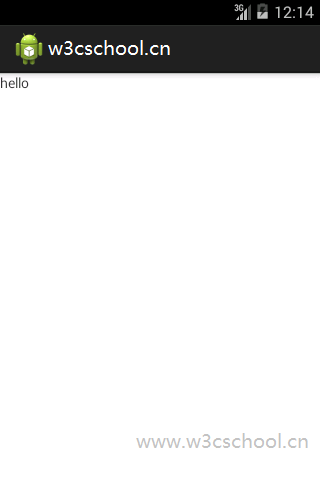
上面的代码生成以下结果。