
Pyramid Hello World
例子
要检查Pyramid及其依赖项是否正确安装,请输入以下代码并保存为 hello.py
你可以使用任何支持Python的编辑器来完成它。
from wsgiref.simple_server import make_server
from pyramid.config import Configurator
from pyramid.response import Response

def hello_world(request):
   return Response('Hello World!')

if __name__ == '__main__':
   with Configurator() as config:
      config.add_route('hello', '/')
      config.add_view(hello_world, route_name='hello')
      app = config.make_wsgi_app()
   server = make_server('0.0.0.0', 6543, app)
server.serve_forever()Configurator 对象需要定义URL路由并将视图函数绑定到它。从这个配置对象中获得的WSGI应用对象是 make_server() 函数的一个参数,同时还有localhost的IP地址和端口。当 serve_forever() 方法被调用时,server 对象进入一个监听循环。
从命令终端运行这个程序为。
Python hello.py输出
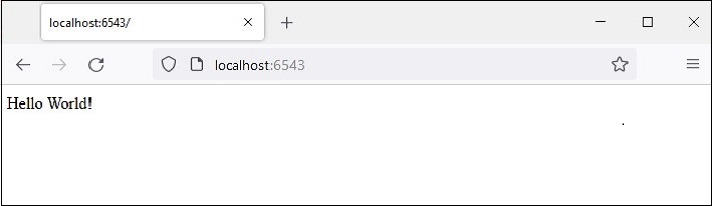
WSGI服务器开始运行。打开浏览器,在地址栏中输入http://loccalhost:6543/。当请求被接受时, hello_world() 视图函数被执行。它返回字符Hello world!。在浏览器窗口中会看到输出Hello world。
如前所述,由 wsgiref 模块中的make_server()函数创建的开发服务器不适合于生产环境。相反,我们将使用Waitress服务器。按照以下代码修改hello.py
from pyramid.config import Configurator
from pyramid.response import Response
from waitress import serve

def hello_world(request):
   return Response('Hello World!')

if __name__ == '__main__':
   with Configurator() as config:
      config.add_route('hello', '/')
      config.add_view(hello_world, route_name='hello')
      app = config.make_wsgi_app()
      serve(app, host='0.0.0.0', port=6543)
除了使用 waitress 模块的 serve() 函数来启动WSGI服务器,其他功能都是一样的。在运行程序后访问浏览器中的'/'路线时,会像之前一样显示Hello world。
你可以重新写一个可调用的类来处理一些流程。
注意,可调用类需要重写__call__() 方法
可调用类可以代替函数,也可以作为视图使用。
from pyramid.response import Response
class MyView(object):
   def __init__(self, request):
      self.request = request
   def __call__(self):
      return Response('hello world')