JavaFX 过渡
JavaFX教程 - JavaFX过渡
JavaFX中的动画可以分为时间轴动画和过渡。
时间轴和过渡是javafx.animation.Animation类的子类。
JavaFX中的过渡提供了将动画合并到内部时间轴中的方法。JavaFX有内置的过渡动画,这是方便的类来执行常见的动画效果。这里是一些最常见的动画过渡类
- javafx.animation.FadeTransition
- javafx.animation.PathTransition
- javafx.animation.ScaleTransition
- javafx.animation.TranslateTransition
FadeTransition中定义的淡入淡出过渡目标是节点的不透明属性,用于淡入淡出的动画效果。
PathTransition中定义的路径过渡使节点能够跟随生成的路径。
ScaleTransition中定义的缩放过渡定位节点的scaleX,scaleY和scaleZ属性以调整节点大小。
TranslateTransition中定义的翻译过渡定位了节点的translateX,translateY和translateZ属性,以便在屏幕上移动节点。
褪色过渡
import javafx.animation.FadeTransition;
import javafx.application.Application;
import javafx.scene.Group;
import javafx.scene.Scene;
import javafx.scene.shape.Rectangle;
import javafx.stage.Stage;
import javafx.util.Duration;

public class Main extends Application {

  public static void main(String[] args) {
    Application.launch(args);
  }

  @Override
  public void start(Stage primaryStage) {
    Group group = new Group();

    Rectangle rect = new Rectangle(20,20,200,200);

    FadeTransition ft = new FadeTransition(Duration.millis(5000), rect);
    ft.setFromValue(1.0);
    ft.setToValue(0.0);
    ft.play();

    group.getChildren().add(rect);

    Scene scene = new Scene(group, 300, 200);
    primaryStage.setScene(scene);
    primaryStage.show();
  }
}
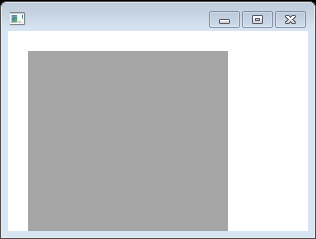
上面的代码生成以下结果。
填充过渡
import javafx.animation.FillTransition;
import javafx.application.Application;
import javafx.scene.Group;
import javafx.scene.Scene;
import javafx.scene.effect.DropShadow;
import javafx.scene.paint.Color;
import javafx.scene.shape.Ellipse;
import javafx.stage.Stage;
import javafx.util.Duration;

public class Main extends Application {
  public static void main(String[] args) {
    Application.launch(args);
  }

  @Override
  public void start(Stage primaryStage) {
    primaryStage.setTitle("");
    Group root = new Group();
    Scene scene = new Scene(root, 300, 250, Color.WHITE);

    Group g = new Group();

    DropShadow ds = new DropShadow();
    ds.setOffsetY(3.0);
    ds.setColor(Color.color(0.4, 0.4, 0.4));

    Ellipse ellipse = new Ellipse();
    ellipse.setCenterX(50.0f);
    ellipse.setCenterY(50.0f);
    ellipse.setRadiusX(50.0f);
    ellipse.setRadiusY(25.0f);
    ellipse.setEffect(ds);

    FillTransition ft = new FillTransition(Duration.millis(3000), ellipse, Color.RED, Color.BLUE);
    ft.setAutoReverse(true);
    ft.play();

    g.getChildren().add(ellipse);

    root.getChildren().add(g);
    primaryStage.setScene(scene);
    primaryStage.show();
  }
}
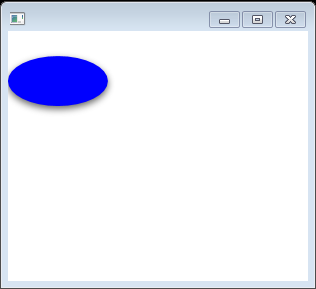
上面的代码生成以下结果。
路径过渡
路径过渡在一个给定时间内沿着从一端到另一端的路径移动节点。
/*
 * Copyright (c) 2011, Pro JavaFX Authors
 * All rights reserved.
 *
 * Redistribution and use in source and binary forms, with or without
 * modification, are permitted provided that the following conditions are met:
 * 1. Redistributions of source code must retain the above copyright notice,
 *    this list of conditions and the following disclaimer.
 * 2. Redistributions in binary form must reproduce the above copyright notice,
 *    this list of conditions and the following disclaimer in the documentation
 *    and/or other materials provided with the distribution.
 * 3. Neither the name of JFXtras nor the names of its contributors may be used
 *    to endorse or promote products derived from this software without
 *    specific prior written permission.
 *
 * THIS SOFTWARE IS PROVIDED BY THE COPYRIGHT HOLDERS AND CONTRIBUTORS "AS IS"
 * AND ANY EXPRESS OR IMPLIED WARRANTIES, INCLUDING, BUT NOT LIMITED TO, THE
 * IMPLIED WARRANTIES OF MERCHANTABILITY AND FITNESS FOR A PARTICULAR PURPOSE
 * ARE DISCLAIMED. IN NO EVENT SHALL THE COPYRIGHT OWNER OR CONTRIBUTORS BE
 * LIABLE FOR ANY DIRECT, INDIRECT, INCIDENTAL, SPECIAL, EXEMPLARY, OR
 * CONSEQUENTIAL DAMAGES (INCLUDING, BUT NOT LIMITED TO, PROCUREMENT OF
 * SUBSTITUTE GOODS OR SERVICES; LOSS OF USE, DATA, OR PROFITS; OR BUSINESS
 * INTERRUPTION) HOWEVER CAUSED AND ON ANY THEORY OF LIABILITY, WHETHER IN
 * CONTRACT, STRICT LIABILITY, OR TORT (INCLUDING NEGLIGENCE OR OTHERWISE)
 * ARISING IN ANY WAY OUT OF THE USE OF THIS SOFTWARE, EVEN IF ADVISED OF THE
 * POSSIBILITY OF SUCH DAMAGE.
 *
 * Metronome1Main.fx - A simple example of animation using a Timeline
 *
 *  Developed 2011 by James L. Weaver jim.weaver [at] javafxpert.com
 *  as a JavaFX SDK 2.0 example for the Pro JavaFX book.
 */
//package projavafx.metronomepathtransition.ui;

import javafx.animation.Animation;
import javafx.animation.Interpolator;
import javafx.animation.PathTransition;
import javafx.animation.PathTransition.OrientationType;
import javafx.animation.PathTransitionBuilder;
import javafx.animation.Timeline;
import javafx.application.Application;
import javafx.event.ActionEvent;
import javafx.event.EventHandler;
import javafx.scene.GroupBuilder;
import javafx.scene.Scene;
import javafx.scene.SceneBuilder;
import javafx.scene.control.Button;
import javafx.scene.control.ButtonBuilder;
import javafx.scene.layout.HBoxBuilder;
import javafx.scene.paint.Color;
import javafx.scene.shape.ArcToBuilder;
import javafx.scene.shape.Ellipse;
import javafx.scene.shape.EllipseBuilder;
import javafx.scene.shape.MoveTo;
import javafx.scene.shape.Path;
import javafx.scene.shape.PathBuilder;
import javafx.stage.Stage;
import javafx.util.Duration;

public class Main extends Application {
  Button startButton;
  Button pauseButton;
  Button resumeButton;
  Button stopButton;
  Ellipse ellipse = EllipseBuilder.create()
    .centerX(100)
    .centerY(50)
    .radiusX(4)
    .radiusY(8)
    .fill(Color.BLUE)
    .build();

  Path path = PathBuilder.create()
    .elements(
      new MoveTo(100, 50),
      ArcToBuilder.create()
        .x(300)
        .y(50)
        .radiusX(350)
        .radiusY(350)
        .sweepFlag(true)
        .build()
    )
    .build();

  PathTransition anim = PathTransitionBuilder.create()
    .duration(new Duration(1000.0))
    .node(ellipse)
    .path(path)
    .orientation(OrientationType.ORTHOGONAL_TO_TANGENT)
    .interpolator(Interpolator.LINEAR)
    .autoReverse(true)
    .cycleCount(Timeline.INDEFINITE)
    .build();

  public static void main(String[] args) {
    Application.launch(args);
  }

  @Override
  public void start(Stage stage) {
    Scene scene  = SceneBuilder.create()
      .width(400)
      .height(500)
      .root(
        GroupBuilder.create()
          .children(
            ellipse,
            HBoxBuilder.create()
              .layoutX(60)
              .layoutY(420)
              .spacing(10)
              .children(
                startButton = ButtonBuilder.create()
                  .text("Start")
                  .onAction(new EventHandler<ActionEvent>() {
                    @Override public void handle(ActionEvent e) {
                      anim.playFromStart();
                    }
                  })
                  .build(),
                pauseButton = ButtonBuilder.create()
                  .text("Pause")
                  .onAction(new EventHandler<ActionEvent>() {
                    @Override public void handle(ActionEvent e) {
                      anim.pause();
                    }
                  })
                  .build(),
                resumeButton = ButtonBuilder.create()
                  .text("Resume")
                  .onAction(new EventHandler<ActionEvent>() {
                    @Override public void handle(ActionEvent e) {
                      anim.play();
                    }
                  })
                  .build(),
                stopButton = ButtonBuilder.create()
                  .text("Stop")
                  .onAction(new EventHandler<ActionEvent>() {
                    @Override public void handle(ActionEvent e) {
                      anim.stop();
                    }
                  })
                  .build()
              )
              .build()
          )
          .build()
      )
      .build();

    startButton.disableProperty().bind(anim.statusProperty()
            .isNotEqualTo(Animation.Status.STOPPED));
    pauseButton.disableProperty().bind(anim.statusProperty()
            .isNotEqualTo(Animation.Status.RUNNING));
    resumeButton.disableProperty().bind(anim.statusProperty()
            .isNotEqualTo(Animation.Status.PAUSED));
    stopButton.disableProperty().bind(anim.statusProperty()
            .isEqualTo(Animation.Status.STOPPED));

    stage.setScene(scene);
    stage.setTitle("Metronome using PathTransition");
    stage.show();
  }
}
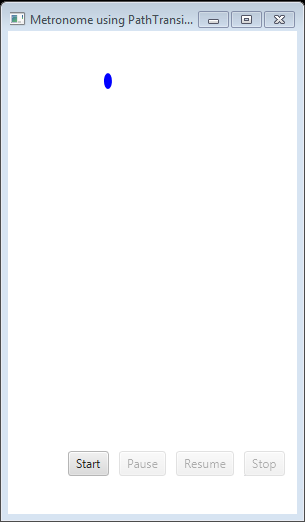
上面的代码生成以下结果。
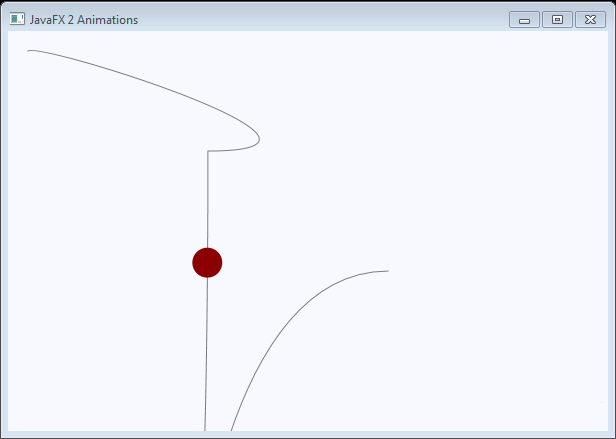
沿着路径的动画
import javafx.animation.PathTransition;
import javafx.animation.Timeline;
import javafx.application.Application;
import javafx.scene.Group;
import javafx.scene.Scene;
import javafx.scene.paint.Color;
import javafx.scene.shape.Circle;
import javafx.scene.shape.CubicCurveTo;
import javafx.scene.shape.MoveTo;
import javafx.scene.shape.Path;
import javafx.stage.Stage;
import javafx.util.Duration;

public class Main extends Application {

  @Override
  public void start(final Stage stage) throws Exception {
    final Group group = new Group();
    final Scene scene = new Scene(group, 600, 400, Color.GHOSTWHITE);
    stage.setScene(scene);
    stage.setTitle("JavaFX 2 Animations");
    stage.show();
    final Circle circle = new Circle(20, 20, 15);
    circle.setFill(Color.DARKRED);

    final Path path = new Path();
    path.getElements().add(new MoveTo(20, 20));
    path.getElements().add(new CubicCurveTo(30, 10, 380, 120, 200, 120));
    path.getElements().add(new CubicCurveTo(200, 1120, 110, 240, 380, 240));
    path.setOpacity(0.5);

    group.getChildren().add(path);
    group.getChildren().add(circle);
    final PathTransition pathTransition = new PathTransition();

    pathTransition.setDuration(Duration.seconds(8.0));
    pathTransition.setDelay(Duration.seconds(.5));
    pathTransition.setPath(path);
    pathTransition.setNode(circle);
    pathTransition
        .setOrientation(PathTransition.OrientationType.ORTHOGONAL_TO_TANGENT);
    pathTransition.setCycleCount(Timeline.INDEFINITE);
    pathTransition.setAutoReverse(true);
    pathTransition.play();
  }

  public static void main(final String[] arguments) {
    Application.launch(arguments);
  }
}
上面的代码生成以下结果。
并行过渡
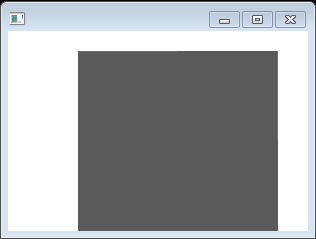
并行过渡同时执行多个过渡。
/*
 * Copyright (c) 2011, Pro JavaFX Authors
 * All rights reserved.
 *
 * Redistribution and use in source and binary forms, with or without
 * modification, are permitted provided that the following conditions are met:
 * 1. Redistributions of source code must retain the above copyright notice,
 *    this list of conditions and the following disclaimer.
 * 2. Redistributions in binary form must reproduce the above copyright notice,
 *    this list of conditions and the following disclaimer in the documentation
 *    and/or other materials provided with the distribution.
 * 3. Neither the name of JFXtras nor the names of its contributors may be used
 *    to endorse or promote products derived from this software without
 *    specific prior written permission.
 *
 * THIS SOFTWARE IS PROVIDED BY THE COPYRIGHT HOLDERS AND CONTRIBUTORS "AS IS"
 * AND ANY EXPRESS OR IMPLIED WARRANTIES, INCLUDING, BUT NOT LIMITED TO, THE
 * IMPLIED WARRANTIES OF MERCHANTABILITY AND FITNESS FOR A PARTICULAR PURPOSE
 * ARE DISCLAIMED. IN NO EVENT SHALL THE COPYRIGHT OWNER OR CONTRIBUTORS BE
 * LIABLE FOR ANY DIRECT, INDIRECT, INCIDENTAL, SPECIAL, EXEMPLARY, OR
 * CONSEQUENTIAL DAMAGES (INCLUDING, BUT NOT LIMITED TO, PROCUREMENT OF
 * SUBSTITUTE GOODS OR SERVICES; LOSS OF USE, DATA, OR PROFITS; OR BUSINESS
 * INTERRUPTION) HOWEVER CAUSED AND ON ANY THEORY OF LIABILITY, WHETHER IN
 * CONTRACT, STRICT LIABILITY, OR TORT (INCLUDING NEGLIGENCE OR OTHERWISE)
 * ARISING IN ANY WAY OUT OF THE USE OF THIS SOFTWARE, EVEN IF ADVISED OF THE
 * POSSIBILITY OF SUCH DAMAGE.
 *
 * Metronome1Main.fx - A simple example of animation using a Timeline
 *
 *  Developed 2011 by James L. Weaver jim.weaver [at] javafxpert.com
 *  as a JavaFX SDK 2.0 example for the Pro JavaFX book.
 */
import javafx.animation.FadeTransition;
import javafx.animation.ParallelTransition;
import javafx.animation.RotateTransition;
import javafx.animation.ScaleTransition;
import javafx.animation.Timeline;
import javafx.animation.TranslateTransition;
import javafx.application.Application;
import javafx.scene.Group;
import javafx.scene.Scene;
import javafx.scene.shape.Rectangle;
import javafx.stage.Stage;
import javafx.util.Duration;

public class Main extends Application {

  public static void main(String[] args) {
    Application.launch(args);
  }

  @Override
  public void start(Stage primaryStage) {
    Group group = new Group();

    Rectangle rectParallel = new Rectangle(20, 20, 200, 200);

    FadeTransition fadeTransition = new FadeTransition(Duration.millis(3000),
        rectParallel);
    fadeTransition.setFromValue(1.0f);
    fadeTransition.setToValue(0.3f);
    fadeTransition.setCycleCount(2);
    fadeTransition.setAutoReverse(true);
    TranslateTransition translateTransition = new TranslateTransition(
        Duration.millis(2000), rectParallel);
    translateTransition.setFromX(50);
    translateTransition.setToX(350);
    translateTransition.setCycleCount(2);
    translateTransition.setAutoReverse(true);
    RotateTransition rotateTransition = new RotateTransition(
        Duration.millis(3000), rectParallel);
    rotateTransition.setByAngle(180f);
    rotateTransition.setCycleCount(4);
    rotateTransition.setAutoReverse(true);
    ScaleTransition scaleTransition = new ScaleTransition(
        Duration.millis(2000), rectParallel);
    scaleTransition.setToX(2f);
    scaleTransition.setToY(2f);
    scaleTransition.setCycleCount(2);
    scaleTransition.setAutoReverse(true);

    ParallelTransition parallelTransition = new ParallelTransition();
    parallelTransition.getChildren().addAll(fadeTransition,
        translateTransition, rotateTransition, scaleTransition);
    parallelTransition.setCycleCount(Timeline.INDEFINITE);
    parallelTransition.play();

    group.getChildren().add(rectParallel);

    Scene scene = new Scene(group, 300, 200);
    primaryStage.setScene(scene);
    primaryStage.show();
  }
}
上面的代码生成以下结果。
顺序过渡
顺序过渡一个接一个地执行多个过渡。
/*
 * Copyright (c) 2011, Pro JavaFX Authors
 * All rights reserved.
 *
 * Redistribution and use in source and binary forms, with or without
 * modification, are permitted provided that the following conditions are met:
 * 1. Redistributions of source code must retain the above copyright notice,
 *    this list of conditions and the following disclaimer.
 * 2. Redistributions in binary form must reproduce the above copyright notice,
 *    this list of conditions and the following disclaimer in the documentation
 *    and/or other materials provided with the distribution.
 * 3. Neither the name of JFXtras nor the names of its contributors may be used
 *    to endorse or promote products derived from this software without
 *    specific prior written permission.
 *
 * THIS SOFTWARE IS PROVIDED BY THE COPYRIGHT HOLDERS AND CONTRIBUTORS "AS IS"
 * AND ANY EXPRESS OR IMPLIED WARRANTIES, INCLUDING, BUT NOT LIMITED TO, THE
 * IMPLIED WARRANTIES OF MERCHANTABILITY AND FITNESS FOR A PARTICULAR PURPOSE
 * ARE DISCLAIMED. IN NO EVENT SHALL THE COPYRIGHT OWNER OR CONTRIBUTORS BE
 * LIABLE FOR ANY DIRECT, INDIRECT, INCIDENTAL, SPECIAL, EXEMPLARY, OR
 * CONSEQUENTIAL DAMAGES (INCLUDING, BUT NOT LIMITED TO, PROCUREMENT OF
 * SUBSTITUTE GOODS OR SERVICES; LOSS OF USE, DATA, OR PROFITS; OR BUSINESS
 * INTERRUPTION) HOWEVER CAUSED AND ON ANY THEORY OF LIABILITY, WHETHER IN
 * CONTRACT, STRICT LIABILITY, OR TORT (INCLUDING NEGLIGENCE OR OTHERWISE)
 * ARISING IN ANY WAY OUT OF THE USE OF THIS SOFTWARE, EVEN IF ADVISED OF THE
 * POSSIBILITY OF SUCH DAMAGE.
 *
 * Metronome1Main.fx - A simple example of animation using a Timeline
 *
 *  Developed 2011 by James L. Weaver jim.weaver [at] javafxpert.com
 *  as a JavaFX SDK 2.0 example for the Pro JavaFX book.
 */
import javafx.animation.FadeTransition;
import javafx.animation.RotateTransition;
import javafx.animation.ScaleTransition;
import javafx.animation.SequentialTransition;
import javafx.animation.Timeline;
import javafx.animation.TranslateTransition;
import javafx.application.Application;
import javafx.scene.Group;
import javafx.scene.Scene;
import javafx.scene.shape.Rectangle;
import javafx.stage.Stage;
import javafx.util.Duration;

public class Main extends Application {

  public static void main(String[] args) {
    Application.launch(args);
  }

  @Override
  public void start(Stage primaryStage) {
    Group group = new Group();

    Rectangle rectSeq = new Rectangle(20, 20, 200, 200);

    FadeTransition fadeTransition = new FadeTransition(Duration.millis(1000),
        rectSeq);
    fadeTransition.setFromValue(1.0f);
    fadeTransition.setToValue(0.3f);
    fadeTransition.setCycleCount(1);
    fadeTransition.setAutoReverse(true);

    TranslateTransition translateTransition = new TranslateTransition(
        Duration.millis(2000), rectSeq);
    translateTransition.setFromX(50);
    translateTransition.setToX(375);
    translateTransition.setCycleCount(1);
    translateTransition.setAutoReverse(true);

    RotateTransition rotateTransition = new RotateTransition(
        Duration.millis(2000), rectSeq);
    rotateTransition.setByAngle(180f);
    rotateTransition.setCycleCount(4);
    rotateTransition.setAutoReverse(true);

    ScaleTransition scaleTransition = new ScaleTransition(
        Duration.millis(2000), rectSeq);
    scaleTransition.setFromX(1);
    scaleTransition.setFromY(1);
    scaleTransition.setToX(2);
    scaleTransition.setToY(2);
    scaleTransition.setCycleCount(1);
    scaleTransition.setAutoReverse(true);

    SequentialTransition sequentialTransition = new SequentialTransition();
    sequentialTransition.getChildren().addAll(fadeTransition,
        translateTransition, rotateTransition, scaleTransition);
    sequentialTransition.setCycleCount(Timeline.INDEFINITE);
    sequentialTransition.setAutoReverse(true);

    sequentialTransition.play();

    group.getChildren().add(rectSeq);

    Scene scene = new Scene(group, 300, 200);
    primaryStage.setScene(scene);
    primaryStage.show();
  }
}
上面的代码生成以下结果。
暂停过渡
import javafx.animation.FadeTransition;
import javafx.animation.PauseTransition;
import javafx.animation.RotateTransition;
import javafx.animation.ScaleTransition;
import javafx.animation.SequentialTransition;
import javafx.animation.TranslateTransition;
import javafx.application.Application;
import javafx.scene.Group;
import javafx.scene.Scene;
import javafx.scene.paint.Color;
import javafx.scene.shape.Rectangle;
import javafx.stage.Stage;
import javafx.util.Duration;

public class Main extends Application {

  @Override
  public void start(Stage stage) {
    Group root = new Group();
    Scene scene = new Scene(root, 600, 400);
    stage.setScene(scene);
    stage.setTitle("");

    Rectangle rect = new Rectangle(100, 40, 100, 100);
    rect.setArcHeight(50);
    rect.setArcWidth(50);
    rect.setFill(Color.VIOLET);


    PauseTransition pt = new PauseTransition(Duration.millis(1000));
    FadeTransition ft = new FadeTransition(Duration.millis(2000));
    ft.setFromValue(1.0f);
    ft.setToValue(0.3f);
    ft.setAutoReverse(true);
    TranslateTransition tt = new TranslateTransition(Duration.millis(2000));
    tt.setFromX(-100f);
    tt.setToX(100f);
    tt.setAutoReverse(true);
    RotateTransition rt = new RotateTransition(Duration.millis(2000));
    rt.setByAngle(180f);
    rt.setAutoReverse(true);
    ScaleTransition st = new ScaleTransition(Duration.millis(2000));
    st.setByX(1.5f);
    st.setByY(1.5f);
    st.setAutoReverse(true);

    SequentialTransition seqT = new SequentialTransition(rect, pt, ft, tt, rt,
        st);
    seqT.play();

    root.getChildren().add(rect);

    stage.show();
  }

  public static void main(String[] args) {
    launch(args);
  }
}
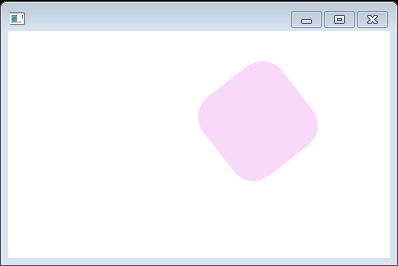
上面的代码生成以下结果。
文本打字效果
import javafx.animation.Animation;
import javafx.animation.Transition;
import javafx.application.Application;
import javafx.scene.Group;
import javafx.scene.Scene;
import javafx.scene.layout.VBox;
import javafx.scene.paint.Color;
import javafx.scene.shape.Rectangle;
import javafx.scene.text.Text;
import javafx.stage.Stage;
import javafx.util.Duration;

public class Main extends Application {
  public static void main(String[] args) {
    launch(args);
  }

  @Override
  public void start(Stage stage) {
    Scene scene = new Scene(new Group());
    stage.setTitle("Sample");
    stage.setWidth(300);
    stage.setHeight(190);

    VBox vbox = new VBox();
    vbox.setLayoutX(20);
    vbox.setLayoutY(20);


    final String content = "Lorem ipsum";
    final Text text = new Text(10, 20, "");

    final Animation animation = new Transition() {
        {
            setCycleDuration(Duration.millis(2000));
        }

        protected void interpolate(double frac) {
            final int length = content.length();
            final int n = Math.round(length * (float) frac);
            text.setText(content.substring(0, n));
        }

    };

    animation.play();


    vbox.getChildren().add(text);
    vbox.setSpacing(10);
    ((Group) scene.getRoot()).getChildren().add(vbox);

    stage.setScene(scene);
    stage.show();
  }
}
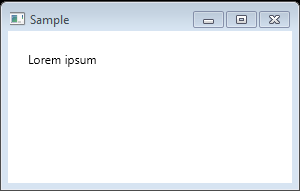
上面的代码生成以下结果。