ionic 上拉菜单
ionic 上拉菜单(ActionSheet)
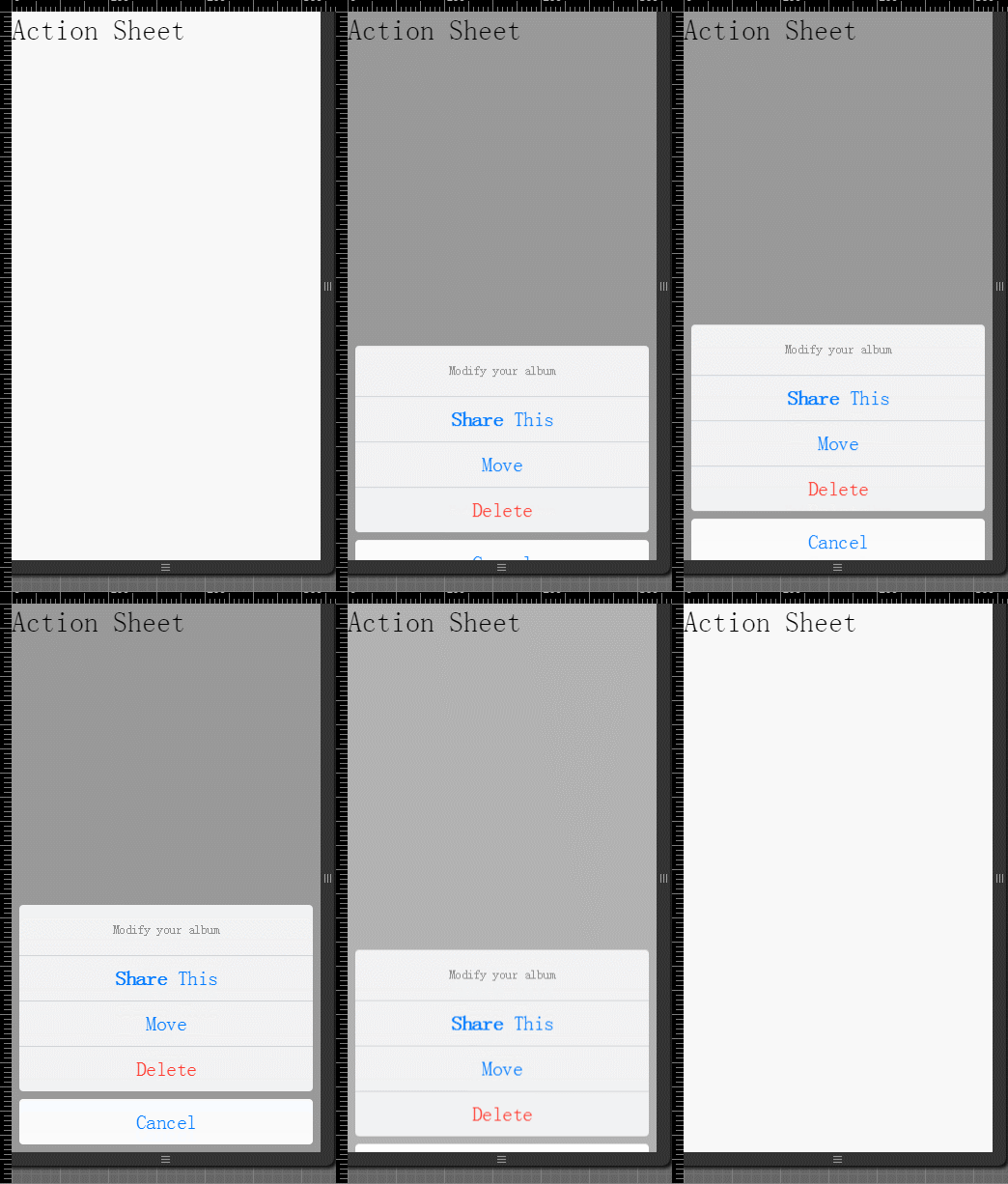
上拉菜单(ActionSheet)通过往上弹出的框,来让用户选择选项。
非常危险的选项会以高亮的红色来让人第一时间识别。你可以通过点击取消按钮或者点击空白的地方来让它消失。
实例
HTML 代码
<body ng-app="starter" ng-controller="actionsheetCtl" >

    <ion-pane>
        <ion-content >
            <h2 ng-click="show()">Action Sheet</h2>
        </ion-content>
    </ion-pane>
</body>
JavaScript 代码
在代码中触发上拉菜单,需要在你的 angular 控制器中使用 $ionicActionSheet 服务:
angular.module('starter', ['ionic'])

.run(function($ionicPlatform) {
  $ionicPlatform.ready(function() {
    // Hide the accessory bar by default (remove this to show the accessory bar above the keyboard
    // for form inputs)
    if(window.cordova && window.cordova.plugins.Keyboard) {
      cordova.plugins.Keyboard.hideKeyboardAccessoryBar(true);
    }
    if(window.StatusBar) {
      StatusBar.styleDefault();
    }
  });
})

.controller( 'actionsheetCtl',['$scope','$ionicActionSheet','$timeout' ,function($scope,$ionicActionSheet,$timeout){
    $scope.show = function() {

        var hideSheet = $ionicActionSheet.show({
            buttons: [
              { text: '<b>Share</b> This' },
              { text: 'Move' }
            ],
            destructiveText: 'Delete',
            titleText: 'Modify your album',
            cancelText: 'Cancel',
            cancel: function() {
                 // add cancel code..
               },
            buttonClicked: function(index) {
              return true;
            }
        });
        $timeout(function() {
            hideSheet();
        }, 2000);

    };
}])
运行效果如下图: