
1.4 单片机开发环境搭建--Keil uVision4安装教程
1.4 单片机开发环境搭建--Keil uVision4安装教程
单片机开发,首要的两个软件一个是编程软件,一个是下载软件。编程软件我们用 Keil uVision4 的51版本,也叫做 Keil C51,不做过多介绍,先直接讲如何安装。
1) 首先准备 Keil uVision4 安装源文件,双击安装文件,弹出安装的欢迎界面,如图1-1所示。
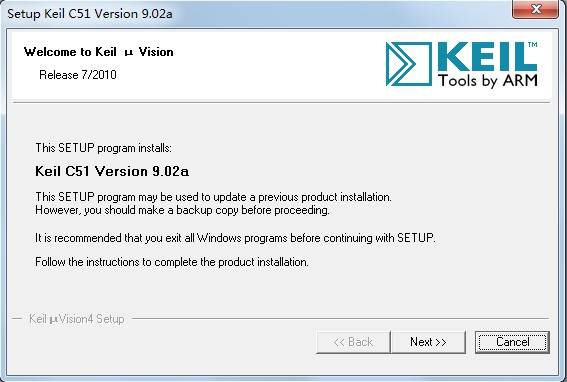
图1-1 Keil安装欢迎界面
2) 点击“Next”按钮,弹出“License Agreement”对话框,如图1-2所示。这里显示的是安装许可协议,需要在“I agree to all the terms of the preceding License Agreement”打勾。
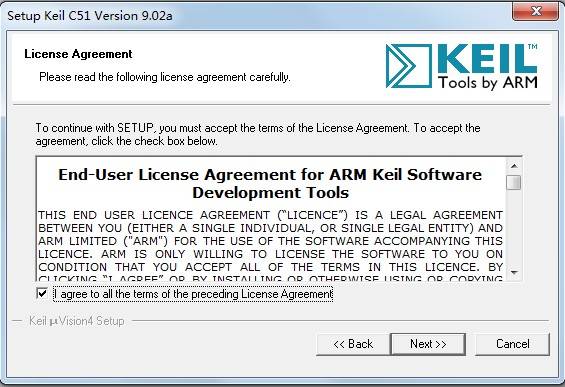
图1-2 “License Agreement”对话框
3) 点击“Next”按钮,弹出“Folder Selection”对话框,如图1-3所示。这里可以设置安装路径,默认安装路径在“C:\Keil”文件夹下。点击“Browse...”按钮,可以修改安装路径,这里建议大家用默认的安装路径,如果你要修改,也必须使用英文路径,不要使用包含有中文字符的路径。
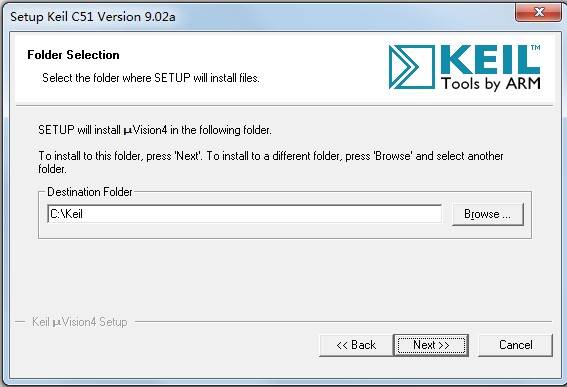
图1-3 “Folder Selection”对话框
4) 点击“Next”按钮,弹出“Customer Information”对话框,如图1-4所示。大家输入用户名、公司名称以及 E-mail 地址即可。
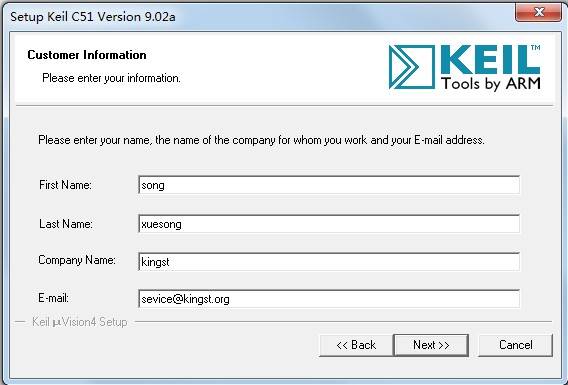
图1-4用户信息
5) 单击“Next”,就会自动安装软件,如图1-5所示。
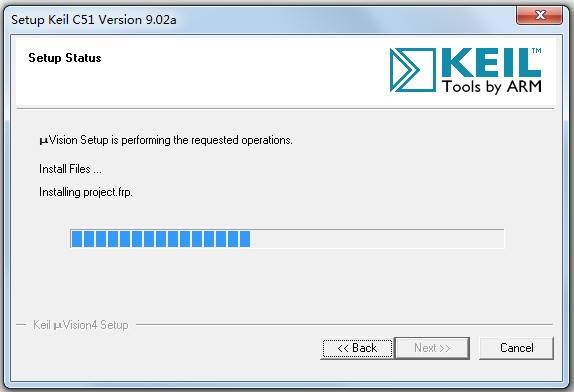
图1-5安装过程
6) 安装完成后,弹出来安装完成对话框,如图1-6所示,并且出现几个选项,大家刚开始把这几个选项的对号全部去掉就可以了,先不用关注有什么作用。
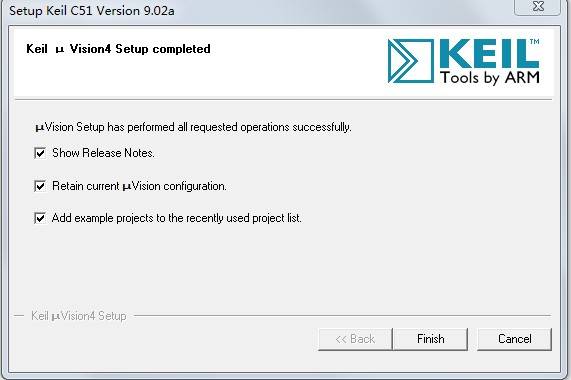
7) 最后,点击“Finish”,Keil 编程软件开发环境就这么装好了。